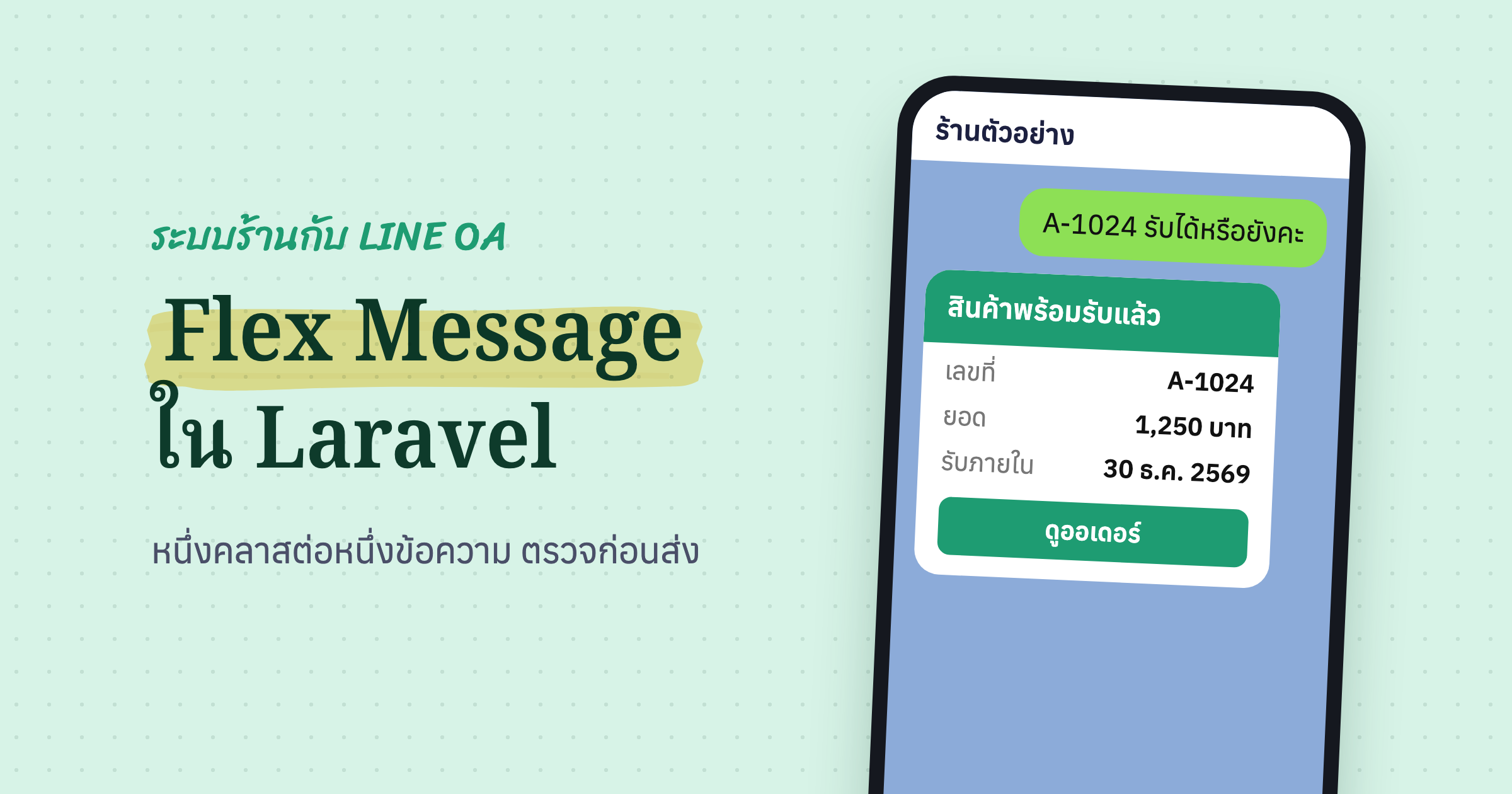
โครงสร้างของ Flex อยู่ในบท Flex Message และหน้าตาที่ร้านใช้บ่อยอยู่ในตัวอย่าง Flex บทนี้ว่าด้วยการเขียนในโปรเจกต์ Laravel ที่มีข้อความหลายแบบ ให้แก้หัวข้อหรือสีที่เดียวแล้วเปลี่ยนทุกข้อความ และรู้ก่อนส่งว่า LINE จะรับหรือไม่
array ก้อนเดียวใน job เริ่มดูแลยากตอนมีข้อความที่สอง
ข้อความแรกมักคัดลอกมาจาก Flex Message Simulator แล้ววางเป็น array ในจุดที่ส่งเลย ใช้ได้ดีถ้ามีข้อความเดียว สัญญาณที่บอกว่าควรแยกมีสี่อย่าง
- มี Flex แบบที่สอง แล้วคัดลอกหัวข้อกับปุ่มจากแบบแรกมาแก้
number_format()กับโค้ดบวก 543 อยู่หลายที่- altText เป็นข้อความตายตัว เช่น "แจ้งเตือนจากร้าน" ลูกค้าเห็นใน notification แล้วไม่รู้ว่าเรื่องอะไร
- อยากดูหน้าตาข้อความ แต่ต้องสร้างออเดอร์แล้วส่งหาตัวเองก่อน
ก่อนและหลังแยกเป็นคลาส
// เดิม array ทั้งก้อนอยู่ใน job ปนกับการส่ง
Http::withToken($token)->post('https://api.line.me/v2/bot/message/push', [
    'to' => $order->customer->line_user_id,
    'messages' => [[
        'type' => 'flex',
        'altText' => 'แจ้งเตือนจากร้าน',
        'contents' => [
            'type' => 'bubble',
            'header' => [
                'type' => 'box',
                'layout' => 'vertical',
                'backgroundColor' => '#0E7A55',
                'contents' => [
                    ['type' => 'text', 'text' => 'สินค้าพร้อมรับแล้ว', 'weight' => 'bold', 'color' => '#FFFFFF'],
                    ['type' => 'text', 'text' => 'ออเดอร์ '.$order->number, 'color' => '#FFFFFF'],
                ],
            ],
            'body' => [
                'type' => 'box',
                'layout' => 'vertical',
                'contents' => [
                    ['type' => 'box', 'layout' => 'horizontal', 'contents' => [
                        ['type' => 'text', 'text' => 'ยอดชำระ'],
                        ['type' => 'text', 'text' => number_format($order->total, 2).' บาท', 'align' => 'end'],
                    ]],
                    // อีกสามแถว หน้าตาเหมือนกัน
                ],
            ],
            // footer พร้อมปุ่ม
        ],
    ]],
]);

// หลังแยก job รู้แค่ว่าจะส่งข้อความไหนหาใคร
$flex = OrderReadyFlex::from($order);

Http::withToken($token)->post('https://api.line.me/v2/bot/message/push', [
    'to' => $order->customer->line_user_id,
    'messages' => [$flex->toArray()],
]);
สามส่วนที่แยกออกมา
FlexMessage เก็บของที่ LINE ต้องการสองอย่าง Flex เก็บชิ้นส่วนที่ใช้ร่วมกันพร้อมสีของร้าน ส่วน OrderReadyFlex เหลือแค่เนื้อหาของข้อความนั้น อ่านจากบนลงล่างตรงกับที่ลูกค้าเห็น
<?php

namespace App\Line;

use App\Models\Order;

final class OrderReadyFlex
{
    public static function from(Order $order): FlexMessage
    {
        $total = ThaiFormat::baht($order->total);
        $pickupBy = ThaiFormat::date($order->pickup_by);

        return new FlexMessage(
            altText: "ออเดอร์ {$order->number} พร้อมรับแล้ว รับภายใน {$pickupBy}",
            contents: Flex::bubble(
                header: Flex::header('สินค้าพร้อมรับแล้ว', "ออเดอร์ {$order->number}"),
                body: [
                    Flex::row('ผู้รับ', $order->customer->name),
                    Flex::row('สาขา', $order->branch->name),
                    Flex::row('ยอดชำระ', $total),
                    Flex::row('รับภายใน', $pickupBy),
                    ...($order->note ? [Flex::row('หมายเหตุ', $order->note)] : []),
                    Flex::disclaimer('แสดงข้อความนี้กับพนักงานตอนมารับสินค้า'),
                ],
                footer: Flex::footerButton('ดูออเดอร์', route('orders.show', $order)),
            ),
        );
    }
}
<?php

namespace App\Line;

final class Flex
{
    public const string BRAND = '#0E7A55';

    public const string MUTED = '#6B7280';

    /**
     * @param  array<string, mixed>  $style
     * @return array<string, mixed>
     */
    public static function text(?string $text, array $style = []): array
    {
        $text = trim((string) $text);

        return ['type' => 'text', 'text' => $text === '' ? '-' : $text, 'wrap' => true, ...$style];
    }

    /** @return array<string, mixed> */
    public static function header(string $title, string $subtitle): array
    {
        return [
            'type' => 'box',
            'layout' => 'vertical',
            'backgroundColor' => self::BRAND,
            'paddingAll' => '20px',
            'contents' => [
                self::text($title, ['weight' => 'bold', 'size' => 'lg', 'color' => '#FFFFFF']),
                self::text($subtitle, ['size' => 'sm', 'color' => '#FFFFFF']),
            ],
        ];
    }

    /** @return array<string, mixed> */
    public static function row(string $label, ?string $value): array
    {
        return [
            'type' => 'box',
            'layout' => 'horizontal',
            'spacing' => 'md',
            'contents' => [
                self::text($label, ['size' => 'sm', 'color' => self::MUTED, 'flex' => 2]),
                self::text($value, ['size' => 'sm', 'weight' => 'bold', 'align' => 'end', 'flex' => 5]),
            ],
        ];
    }

    /** @return array<string, mixed> */
    public static function disclaimer(string $text): array
    {
        return self::text($text, ['size' => 'xs', 'color' => self::MUTED]);
    }

    /** @return array<string, mixed> */
    public static function footerButton(string $label, string $uri): array
    {
        return [
            'type' => 'box',
            'layout' => 'vertical',
            'contents' => [
                [
                    'type' => 'button',
                    'style' => 'primary',
                    'color' => self::BRAND,
                    'action' => ['type' => 'uri', 'label' => $label, 'uri' => $uri],
                ],
            ],
        ];
    }

    /**
     * @param  list<array<string, mixed>>  $body
     * @return array<string, mixed>
     */
    public static function bubble(array $header, array $body, array $footer): array
    {
        return [
            'type' => 'bubble',
            'header' => $header,
            'body' => ['type' => 'box', 'layout' => 'vertical', 'spacing' => 'md', 'contents' => $body],
            'footer' => $footer,
        ];
    }
}
<?php

namespace App\Line;

use Illuminate\Contracts\Support\Arrayable;

final readonly class FlexMessage implements Arrayable
{
    /** @param array<string, mixed> $contents */
    public function __construct(public string $altText, public array $contents) {}

    /** @return array<string, mixed> */
    public function toArray(): array
    {
        return ['type' => 'flex', 'altText' => $this->altText, 'contents' => $this->contents];
    }

    public function bytes(): int
    {
        return strlen(json_encode($this->contents, JSON_THROW_ON_ERROR));
    }
}
readonlyทั้งคลาส สร้างแล้วแก้ไม่ได้ จะเก็บลงตารางหรือส่งต่อให้ queue ก็ได้ค่าเดิมfrom()รับ model คนเรียกไม่ต้องรู้ว่าในข้อความมีอะไรบ้าง และ relation ที่ใช้ (customer,branch) ควร eager load มาก่อนถ้าส่งหลายออเดอร์- ใส่ style ทับได้
Flex::text()รับ array ต่อท้าย ข้อความไหนอยากได้'wrap' => falseก็ส่งมาทับได้ - เก็บสีไว้ที่เดียว เปลี่ยนสีร้านที่
Flex::BRANDครั้งเดียว ทุกข้อความเปลี่ยนตาม
ออเดอร์ตัวอย่าง A-1024 ให้ JSON แบบนี้
{
  "type": "flex",
  "altText": "ออเดอร์ A-1024 พร้อมรับแล้ว รับภายใน 30 ธ.ค. 2569",
  "contents": {
    "type": "bubble",
    "header": {
      "type": "box",
      "layout": "vertical",
      "backgroundColor": "#0E7A55",
      "paddingAll": "20px",
      "contents": [
        {"type": "text", "text": "สินค้าพร้อมรับแล้ว", "wrap": true, "weight": "bold", "size": "lg", "color": "#FFFFFF"},
        {"type": "text", "text": "ออเดอร์ A-1024", "wrap": true, "size": "sm", "color": "#FFFFFF"}
      ]
    },
    "body": {
      "type": "box",
      "layout": "vertical",
      "spacing": "md",
      "contents": [
        {
          "type": "box",
          "layout": "horizontal",
          "spacing": "md",
          "contents": [
            {"type": "text", "text": "ผู้รับ", "wrap": true, "size": "sm", "color": "#6B7280", "flex": 2},
            {"type": "text", "text": "คุณลูกค้า ตัวอย่าง", "wrap": true, "size": "sm", "weight": "bold", "align": "end", "flex": 5}
          ]
        },
        {
          "type": "box",
          "layout": "horizontal",
          "spacing": "md",
          "contents": [
            {"type": "text", "text": "สาขา", "wrap": true, "size": "sm", "color": "#6B7280", "flex": 2},
            {"type": "text", "text": "สาขาตัวอย่าง", "wrap": true, "size": "sm", "weight": "bold", "align": "end", "flex": 5}
          ]
        },
        {
          "type": "box",
          "layout": "horizontal",
          "spacing": "md",
          "contents": [
            {"type": "text", "text": "ยอดชำระ", "wrap": true, "size": "sm", "color": "#6B7280", "flex": 2},
            {"type": "text", "text": "1,250 บาท", "wrap": true, "size": "sm", "weight": "bold", "align": "end", "flex": 5}
          ]
        },
        {
          "type": "box",
          "layout": "horizontal",
          "spacing": "md",
          "contents": [
            {"type": "text", "text": "รับภายใน", "wrap": true, "size": "sm", "color": "#6B7280", "flex": 2},
            {"type": "text", "text": "30 ธ.ค. 2569", "wrap": true, "size": "sm", "weight": "bold", "align": "end", "flex": 5}
          ]
        },
        {"type": "text", "text": "แสดงข้อความนี้กับพนักงานตอนมารับสินค้า", "wrap": true, "size": "xs", "color": "#6B7280"}
      ]
    },
    "footer": {
      "type": "box",
      "layout": "vertical",
      "contents": [
        {
          "type": "button",
          "style": "primary",
          "color": "#0E7A55",
          "action": {"type": "uri", "label": "ดูออเดอร์", "uri": "https://example.com/orders/A-1024"}
        }
      ]
    }
  }
}
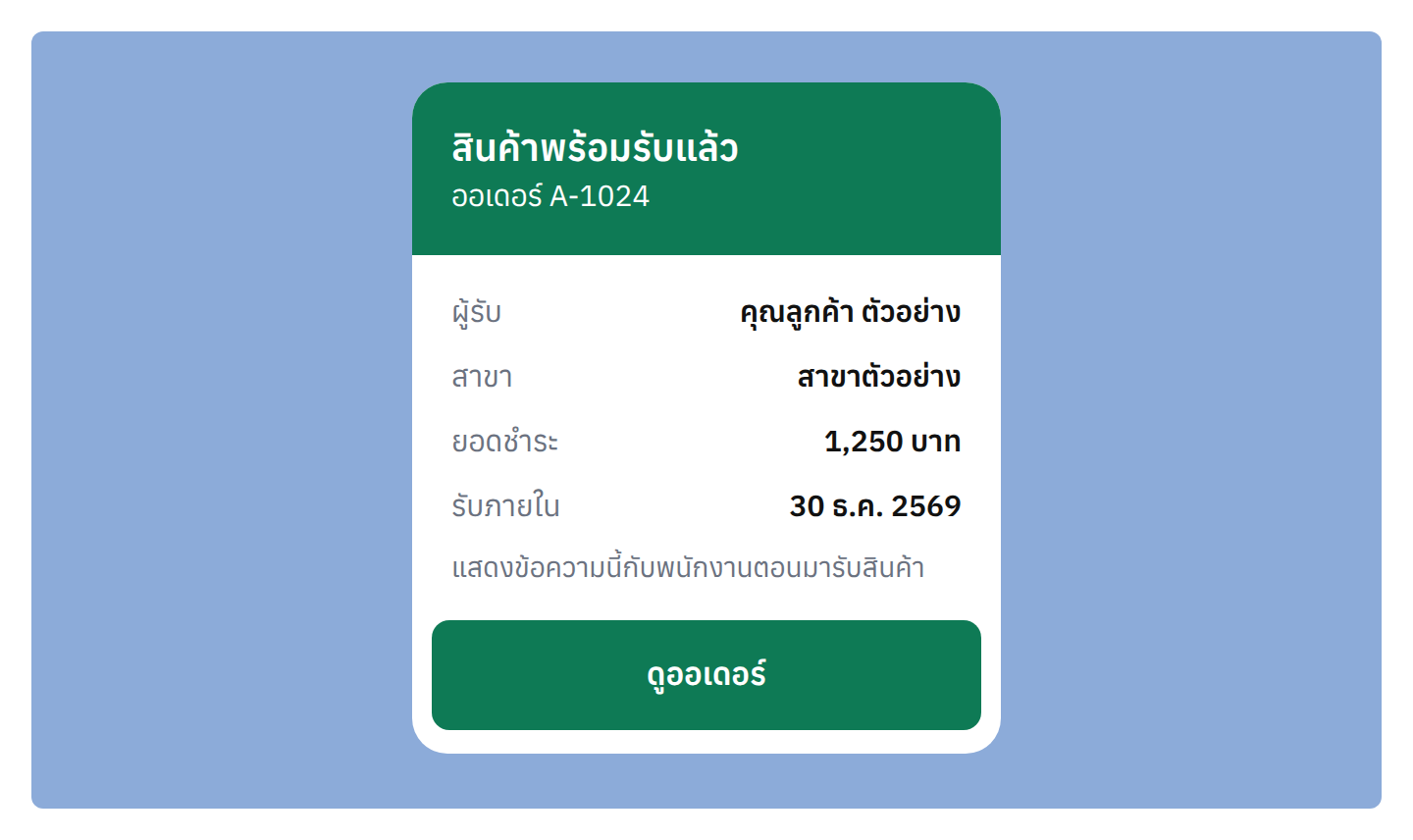
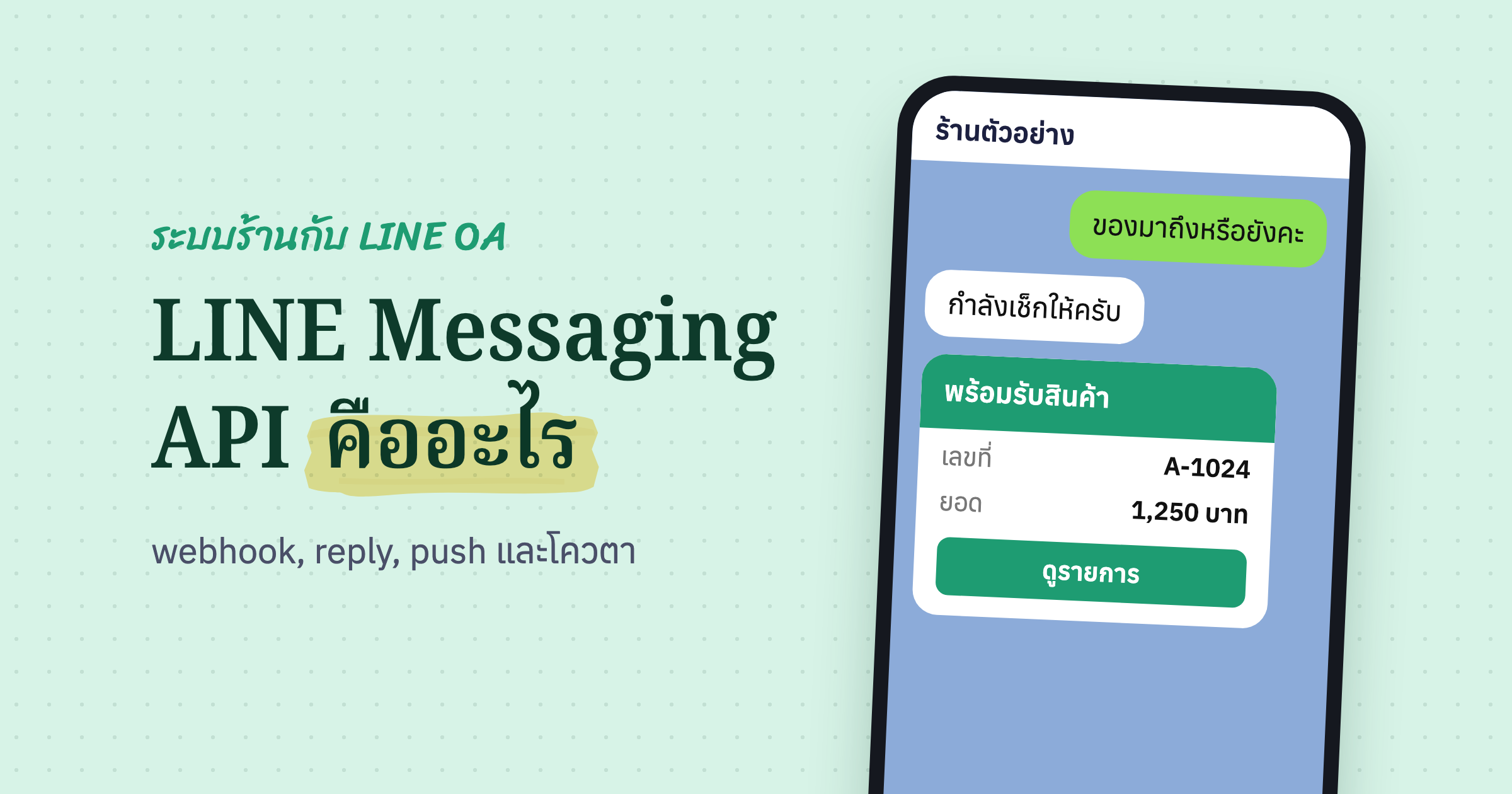
Flex ของออเดอร์ A-1024 ในแชต วาดตาม JSON ข้างบน
เงินกับวันที่ไทยจัดรูปที่เดียว
<?php

namespace App\Line;

use DateTimeInterface;
use Illuminate\Support\Carbon;
use Illuminate\Support\Str;

final class ThaiFormat
{
    public static function baht(string|float|int $amount): string
    {
        return Str::chopEnd(number_format((float) $amount, 2), '.00').' บาท';
    }

    public static function date(DateTimeInterface $date): string
    {
        return thaidate('j M Y', Carbon::instance($date)->timezone('Asia/Bangkok'));
    }
}
| ค่า | ผล |
|---|---|
baht('1250.00') |
1,250 บาท |
baht('1250.50') |
1,250.50 บาท |
date() ของ 31 ธ.ค. 2026 เวลา 18:30 UTC |
1 ม.ค. 2570 |
แถวสุดท้ายคือเหตุผลที่แปลง timezone ก่อนจัดรูป ถ้าแอปเก็บเวลาเป็น UTC แล้วไม่แปลง ลูกค้าจะเห็น 31 ธ.ค. 2569 ซึ่งผิดทั้งวันและปี thaidate() มาจากแพ็กเกจ thaidate ถ้าไม่อยากเพิ่มแพ็กเกจ ใช้ $date->locale('th')->translatedFormat('j M ').($date->year + 543) ได้ผลเดียวกัน
ข้อความไทยยาว ๆ ต้องตั้ง wrap
text ใน Flex ที่ยาวเกินความกว้าง ค่าเริ่มต้นคือตัดท้ายด้วยจุดไข่ปลา ชื่อลูกค้าหรือหมายเหตุที่พนักงานพิมพ์จึงหายไปครึ่งหนึ่งโดยไม่มี error อะไร ตั้ง wrap เป็น true แล้วจะขึ้นบรรทัดใหม่ และใช้ \n ขึ้นบรรทัดเองได้ด้วย
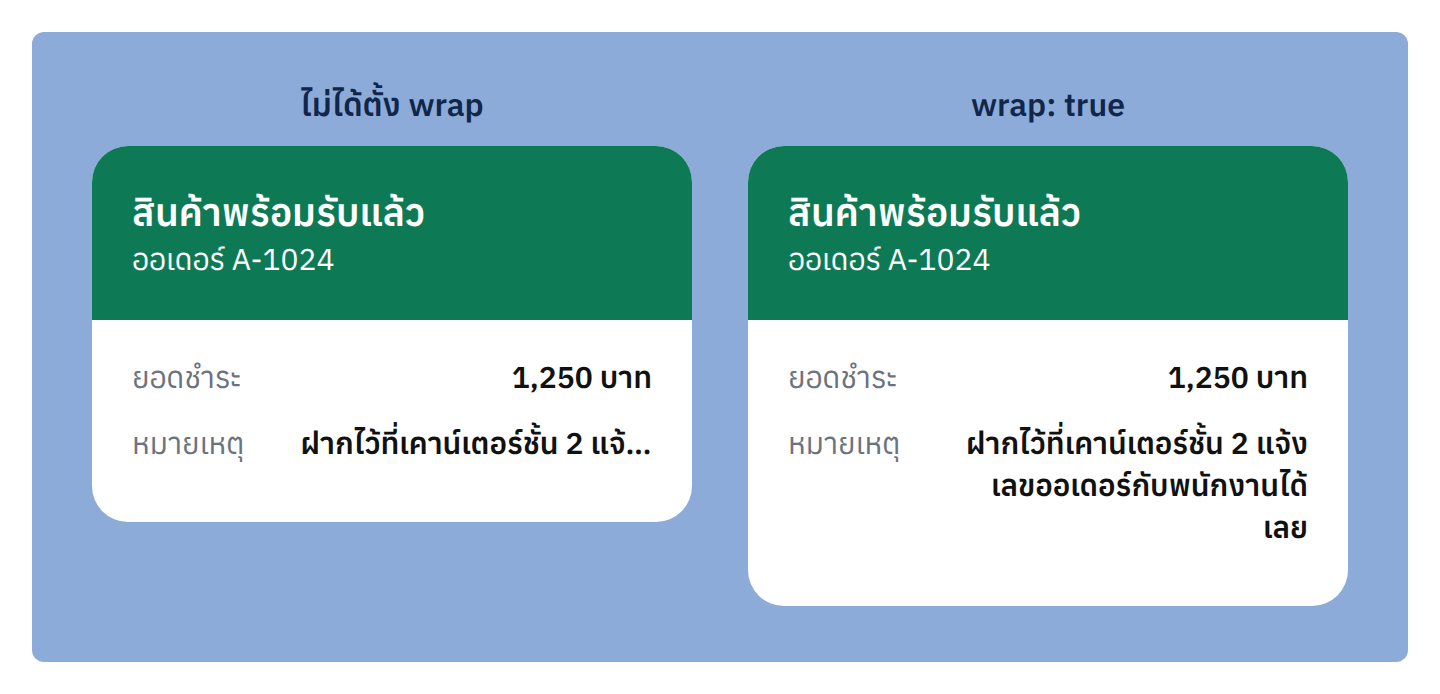
หมายเหตุเดียวกัน ซ้ายไม่ตั้ง wrap ขวาตั้ง wrap เป็น true
Flex::text() จึงตั้ง wrap ให้เสมอ ถ้ากลัวหมายเหตุยาวจนดันปุ่มลงไปไกล ให้เพิ่ม maxLines เฉพาะแถวนั้น LINE จะจบบรรทัดสุดท้ายด้วยจุดไข่ปลาแทน
altText มาจากข้อมูลชุดเดียวกัน
altText เป็นข้อความที่ลูกค้าเห็นใน notification และในรายการแชต ก่อนจะเปิดเข้ามาเห็น Flex จึงควรตอบได้ในบรรทัดเดียวว่าเรื่องอะไร ออเดอร์ไหน ต้องทำอะไรภายในเมื่อไหร่
ออเดอร์ A-1024 พร้อมรับแล้ว รับภายใน 30 ธ.ค. 2569ใน OrderReadyFlex วันที่เก็บในตัวแปร $pickupBy แล้วใช้ทั้งใน altText และใน bubble สองที่จึงไม่มีทางต่างกัน ส่วนยอดเงินอยู่ใน bubble อย่างเดียว เพราะ notification ขึ้นบนหน้าจอล็อกที่คนข้าง ๆ เห็นได้ altText ยาวได้ไม่เกิน 1,500 ตัวอักษร ข้อความแบบนี้ห่างเพดานมาก แต่อย่าเอาหมายเหตุที่ลูกค้าพิมพ์เองมาต่อท้ายโดยไม่ตัด
ค่าว่างและอักขระที่ทำให้ส่งไม่ผ่าน
| กรณี | ผลที่ได้ | กันไว้ที่ |
|---|---|---|
text เป็น '' หรือ null |
LINE ตอบ 400 พร้อม May not be empty |
Flex::text() แทนด้วย - |
array_filter() บน list |
index กระโดด json_encode() จึงได้ object {"0":…,"2":…} แทน array |
spread แบบแถวหมายเหตุ หรือครอบด้วย array_values() |
ตัดข้อความไทยด้วย substr() |
ตัวอักษรขาดครึ่ง Http โยน Malformed UTF-8 characters ก่อนถึง LINE |
ใช้ Str::limit() หรือ mb_substr() |
ครอบข้อความด้วย e() |
ลูกค้าเห็น & กับ " |
ไม่ต้อง escape เอง JSON จัดการเครื่องหมายคำพูดกับ \n ให้แล้ว |
| URL ของปุ่ม | scheme ที่ใช้ได้คือ http, https, line, tel และควร percent-encode |
route() เข้ารหัส path ให้ |
| ข้อความบนปุ่ม | ยาวได้ไม่เกิน 40 ตัวอักษร | เขียนสั้นและตายตัว ไม่ต่อชื่อสินค้า |
ตัวอย่าง May not be empty ในเอกสารเป็นของ text message ธรรมดา ส่วน text ใน Flex เอกสารบอกแค่ว่าต้องมี text หรือ contents อย่างใดอย่างหนึ่ง แทนค่าว่างไว้เลยจึงปลอดภัยทั้งสองแบบ
ไม่มีแถวหมายเหตุเมื่อ $order->note ว่าง เพราะแถวที่มีแต่ - ไม่ได้บอกอะไรลูกค้า ส่วนแถวที่ควรมีเสมออย่างชื่อกับสาขา ถ้าข้อมูลหายไปให้ขึ้น - ไว้ ดีกว่าข้อความทั้งใบส่งไม่ออก
ส่งด้วย push หรือ reply ก็ใช้คลาสเดียวกัน
ทั้งสองแบบรับ messages เป็น array ของ message object ได้ไม่เกิน 5 ชิ้น
// push แจ้งลูกค้าเมื่อของพร้อม
$api->post('/push', ['to' => $lineUserId, 'messages' => [$flex->toArray()]]);

// reply ตอบลูกค้าที่พิมพ์ถามเลขออเดอร์
$api->post('/reply', ['replyToken' => $replyToken, 'messages' => [$flex->toArray()]]);
ถ้าส่งเป็น push ให้เก็บผลของ toArray() ลงตารางพร้อม retry key ก่อนส่ง จะได้ส่งซ้ำด้วยเนื้อหาเดิมทุกครั้ง รายละเอียดอยู่ในบท X-Line-Retry-Key ส่วนเลือก push หรือ reply ดูบท reply กับ push
ตรวจกับ LINE ก่อนส่งจริง
LINE มี endpoint ตรวจ message object แยกตามวิธีส่ง /v2/bot/message/validate/push กับ /v2/bot/message/validate/reply รับแค่ messages ไม่ต้องมีผู้รับ ถูกต้องได้ 200 กับ {} ผิดได้ 400 พร้อมรายการที่ผิด
{
  "message": "The request body has 1 error(s)",
  "details": [
    {
      "message": "Length must be between 0 and 5000",
      "property": "messages[0].text"
    }
  ]
}
คำสั่งนี้สร้างข้อความทุกแบบจากข้อมูลตัวอย่าง แล้วส่งไปตรวจทีละใบ ตัวอย่างไม่แตะฐานข้อมูล และตั้งใจให้มีแบบยาวกับแบบที่ข้อมูลขาด
<?php

namespace App\Console\Commands;

use App\Line\FlexMessage;
use App\Line\OrderReadyFlex;
use App\Models\Branch;
use App\Models\Customer;
use App\Models\Order;
use Illuminate\Console\Command;
use Illuminate\Support\Facades\Http;

class LineFlex extends Command
{
    protected $signature = 'line:flex {name? : พิมพ์ JSON ของตัวอย่างนี้ แทนการตรวจทุกตัว}';

    protected $description = 'ตรวจ Flex ทุกแบบกับ LINE หรือพิมพ์ JSON ไปดูใน Simulator';

    public function handle(): int
    {
        if ($name = $this->argument('name')) {
            $this->line(json_encode(
                $this->samples()[$name]->contents,
                JSON_PRETTY_PRINT | JSON_UNESCAPED_UNICODE | JSON_UNESCAPED_SLASHES,
            ));

            return self::SUCCESS;
        }

        $passed = collect($this->samples())
            ->map(fn (FlexMessage $flex, string $name): bool => $this->passes($name, $flex));

        return $passed->contains(false) ? self::FAILURE : self::SUCCESS;
    }

    private function passes(string $name, FlexMessage $flex): bool
    {
        $response = Http::withToken(config('services.line.channel_access_token'))
            ->post('https://api.line.me/v2/bot/message/validate/push', ['messages' => [$flex->toArray()]]);

        $errors = collect($response->json('details'))
            ->map(fn (array $detail): string => ($detail['property'] ?? '').' '.($detail['message'] ?? ''));

        if ($errors->isEmpty() && $response->failed()) {
            $errors->push("HTTP {$response->status()} {$response->json('message')}");
        }

        if ($flex->bytes() > 30_000) {
            $errors->push('bubble เกิน 30 KB');
        }

        $this->line("{$name} {$flex->bytes()} bytes ".($errors->isEmpty() ? 'ผ่าน' : 'ไม่ผ่าน'));
        $errors->each(fn (string $error) => $this->error("  {$error}"));

        return $errors->isEmpty();
    }

    /** @return array<string, FlexMessage> */
    private function samples(): array
    {
        return [
            'order-ready' => OrderReadyFlex::from($this->order()),
            'order-ready-long' => OrderReadyFlex::from($this->order([
                'total' => '1234567.50',
                'note' => str_repeat('ฝากไว้ที่เคาน์เตอร์ชั้น 2 ', 20),
            ])),
            'order-ready-empty' => OrderReadyFlex::from($this->order(branch: '')),
        ];
    }

    /** @param array<string, mixed> $attributes */
    private function order(array $attributes = [], string $branch = 'สาขาตัวอย่าง'): Order
    {
        return (new Order)
            ->forceFill(['number' => 'A-1024', 'total' => '1250.00', 'pickup_by' => '2026-12-30 17:00:00', ...$attributes])
            ->setRelation('customer', (new Customer)->forceFill(['name' => 'คุณลูกค้า ตัวอย่าง']))
            ->setRelation('branch', (new Branch)->forceFill(['name' => $branch]));
    }
}
php artisan line:flex
order-ready 2338 bytes ผ่าน
order-ready-long 5443 bytes ผ่าน
order-ready-empty 2267 bytes ผ่าน- ต้องมี channel access token ทุก endpoint รวมทั้ง validate ต้องส่ง
Authorizationไปด้วย ใน CI ให้ใช้ token ของ channel ทดสอบ เก็บเป็น secret ของ CI และข้ามขั้นนี้ถ้าไม่มี token อย่าเอา token ของร้านจริงไปไว้ใน CI เพราะ token เดียวกันใช้ส่งข้อความหาลูกค้าได้ - ตรวจเฉพาะ
messagesendpoint นี้ไม่ตรวจ property อื่นของ request จึงไม่ได้บอกว่า userId ถูกหรือ token นั้นส่งหาลูกค้าคนนี้ได้ - ครั้งละไม่เกิน 5 ใบ ส่งเกินจะได้
Size must be between 1 and 5ส่งทีละใบอ่าน error ง่ายกว่า
ใน test ที่ไม่ต่อเน็ต ตรวจได้ว่า altText มีเลขออเดอร์ ไม่มี text ว่าง และขนาดไม่เกิน ส่วน property สะกดผิดหรือค่าที่ LINE ไม่รู้จัก ให้ validate endpoint เป็นคนบอก
วัดขนาดให้ตรงกับที่ส่งจริง
bubble หนึ่งใหญ่ได้ 30 KB carousel ทั้งชุด 50 KB เอกสารไม่ได้บอกว่านับ byte แบบไหน ซึ่งภาษาไทยต่างกันเท่าตัว
| วิธีเขียน | อักษรไทยหนึ่งตัว | A-1024 ทั้ง bubble |
|---|---|---|
UTF-8 (JSON_UNESCAPED_UNICODE) |
3 byte | 1,941 byte |
\uXXXX (ค่าเริ่มต้นของ json_encode()) |
6 byte | 2,338 byte |
Http ของ Laravel ส่งแบบแถวที่สอง FlexMessage::bytes() จึงวัดแบบเดียวกัน ถ้าผ่าน 30,000 byte ในแบบที่ใหญ่กว่า แบบที่เล็กกว่าก็ผ่านด้วย ข้อความทั่วไปห่างเพดานมาก แถวแบบในตัวอย่างต้องมีราว 87 แถวจึงจะชน ที่ต้องระวังคือใบสรุปที่วนรายการสินค้าไม่จำกัด ให้แสดง 10 รายการแรกแล้วใส่ปุ่มไปดูทั้งหมดบนเว็บ
ดูหน้าตาใน Flex Message Simulator
ใส่ชื่อตัวอย่างต่อท้ายคำสั่งเดิม จะได้ JSON ของ bubble ที่ภาษาไทยอ่านออก
php artisan line:flex order-ready-long | pbcopy
เปิด Simulator กด View as JSON ลบของเดิม วางแล้วกด Apply คำสั่งพิมพ์เฉพาะ contents ซึ่งเป็น bubble แบบเดียวกับที่ Simulator สร้าง (pbcopy เป็นของ macOS บน Windows ใช้ clip) เริ่มดูจากตัวอย่างที่ยาวกับตัวอย่างที่ข้อมูลขาด เพราะสองใบนี้เห็นปัญหาการจัดวางได้ก่อน
ตอนที่ยังไม่ต้องแยก
ระบบที่มีข้อความเดียว หรือข้อความที่การตลาดเปลี่ยนหน้าตาทุกสัปดาห์ เขียนเป็น array ในไฟล์เดียวหรือส่งจาก LINE Official Account Manager คล่องตัวกว่า การแยกเริ่มคุ้มตอนมีข้อความที่สองซึ่งใช้หัวข้อและปุ่มแบบเดียวกัน
จากงานจริง
ระบบหนึ่งที่เราดูแลแจ้งลูกค้าทาง LINE สี่เรื่อง คือได้รับสลิปแล้ว สลิปตรวจไม่ผ่าน รับชำระงวดแล้ว และค้างชำระ ทั้งสี่ข้อความมีคลาสของตัวเองและใช้หัวข้อ ปุ่ม กับหมายเหตุท้ายข้อความชุดเดียวกัน ข้อความรับชำระงวดมีรายละเอียดมากที่สุด คลาสจึงยาวกว่าข้ออื่นราวสองเท่า แต่ทุกเรื่องส่งผ่าน job push ตัวเดียวกัน ซึ่งเห็นแค่ FlexMessage ที่มี altText กับ contents